Save as Template
Use Save as Report Template to reuse an existing report with a new dataset.
This is useful when you want to create the same type of report for another period. For example, you may want to reuse a customer satisfaction report from 2019 with data from 2020.

Save a Report as a Template
- Open the report you want to reuse.
- Click Save as Report Template.
OfficeReports removes the data from the report but keeps the table definitions and other report setup.
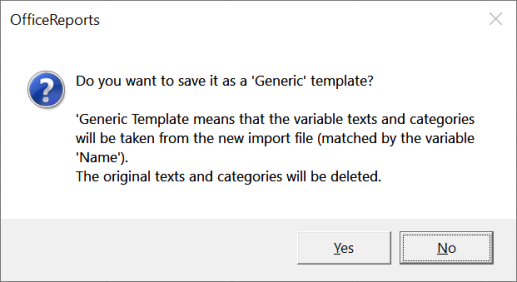
If the new dataset may differ from the original dataset, OfficeReports asks whether you want to create a generic template.
Use a Report Template
- Open the template workbook.
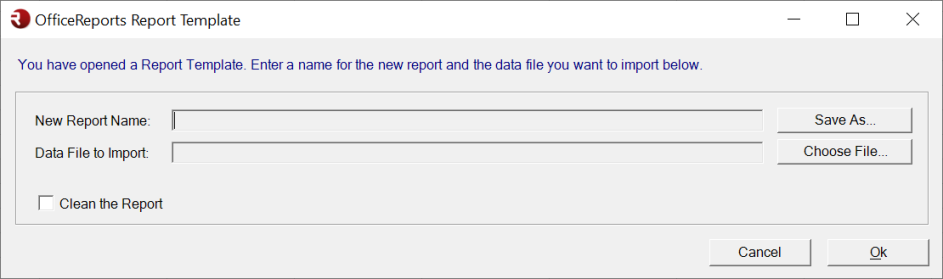
- Enter the required information in the template window.
- Import the new dataset.
- Click Refresh Report.
OfficeReports imports the new data and updates the tables and charts.
Clean the Report
Use Clean the Report to remove content that is no longer valid for the new dataset.
When you clean the report, OfficeReports:
- deletes variables that are not part of the new dataset
- deletes tables and charts that use those missing variables