AI Assistant in PowerPoint
Use the AI Assistant in PowerPoint to generate content based on your presentation context. The AI Assistant is powered by OpenAI's GPT-4.
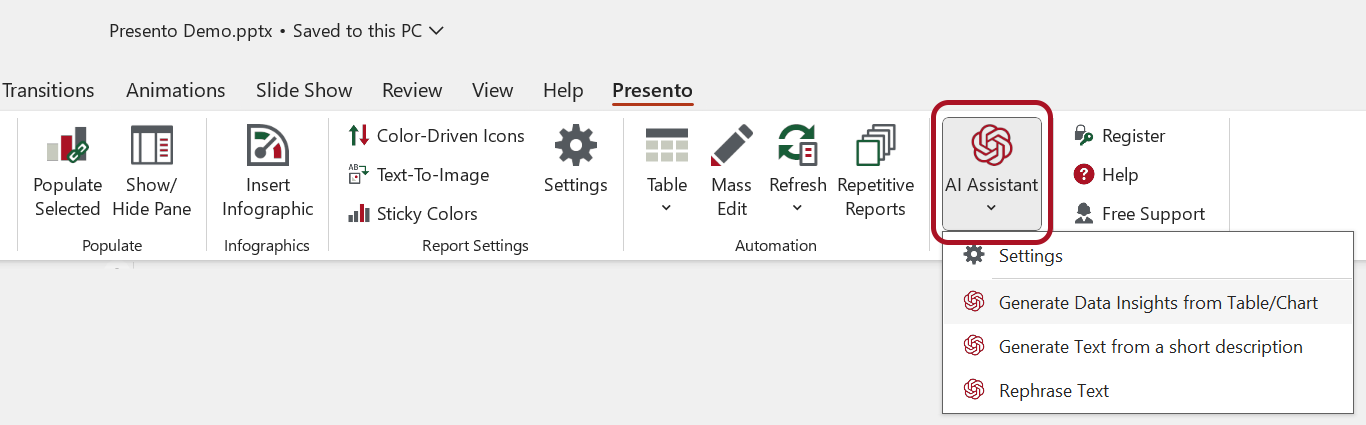
Settings
To get the best results from the AI Assistant, provide information about the presentation context.
Context
Describe what the presentation is about. Also specify who the audience is and what style you want the answers to use.
Use Your Own Key
If you have your own OpenAI subscription, OfficeReports recommends that you use your own API key.
- Go to OpenAI API keys.
- Create an API key.
- Open the AI Assistant settings.
- Click the API Key tab.
- Enter the API key.
Read more about getting your own API key here.
Privacy and Security
OfficeReports communicates with GPT-4 by using the OpenAI API. OpenAI states that API inputs and outputs may be securely retained for up to 30 days to identify abuse. OpenAI does not use this API communication to train the AI models.
Read more about privacy and security when using the API.